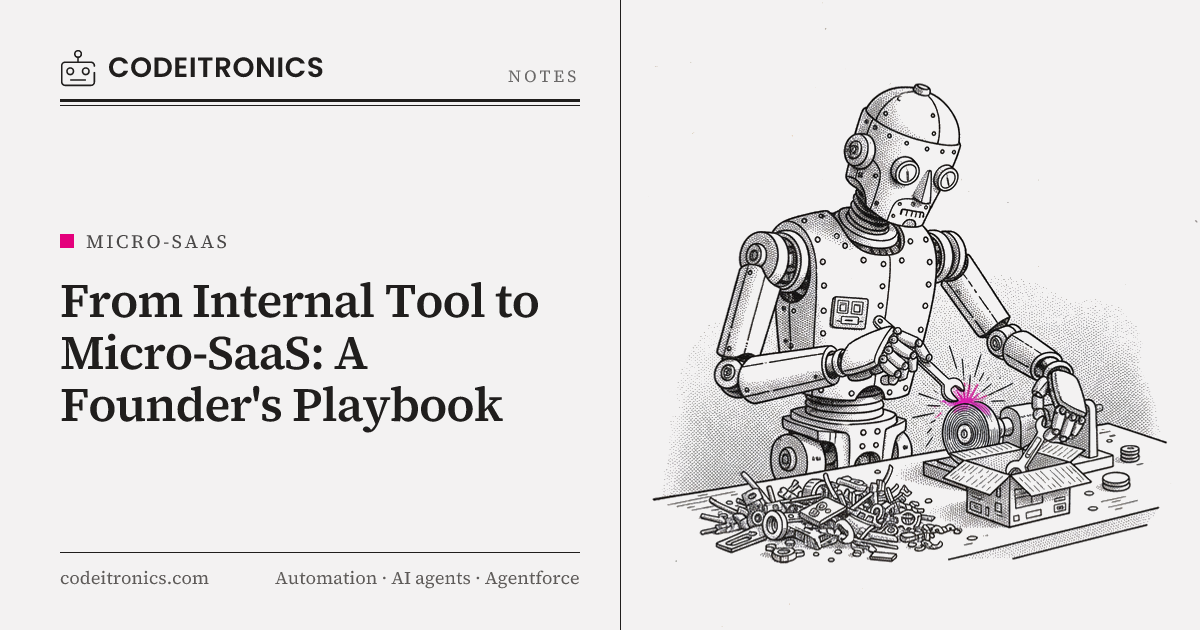
Most micro-SaaS ideas don't come from brainstorming. They come from noticing that you've built the same thing three times. At CodeITronics, the Micro-SaaS Workflow Builder started exactly that way: we kept writing the same automation plumbing for different clients and different internal needs, and eventually the repetition was too obvious to ignore. This post is the playbook we use to decide when an internal tool should become a product, what has to change when it does, and when the honest answer is "leave it as a tool."
The pattern that keeps showing up
Look at enough automation projects and they start to rhyme. Something happens (a form is submitted, a record changes, an email arrives, a schedule fires). Data gets pulled from one or two APIs. Something transforms it, sometimes with an LLM in the middle. The result lands somewhere else: a CRM, a Slack channel, a database, an inbox. Then someone needs to know whether it worked.
That shape sat underneath a lot of what we built. The KPI Reporting Bot polls Stripe, PostHog, and SQL and posts to Slack. The Inbox Agent classifies emails and routes them into workflows. Same skeleton: trigger, fetch, transform, deliver, log.
The first sign that you have a product hiding in your work isn't a market. It's a diff. When you start a new project by copying the last one and changing the config, you're already maintaining a framework. You just haven't admitted it yet.
The signal versus the noise
Not every repetition is a product. We look for three things:
- The same structure, not just the same idea. "We keep building dashboards" is too vague. "We keep writing a scheduled job that fetches from three APIs, normalizes, and posts a summary" is concrete enough to abstract.
- Variation lives in configuration. If the differences between instances are mostly credentials, field mappings, and schedules, that's a good sign. If every instance needs custom logic in the core, it isn't ready.
- The pain is felt by people outside your team. If only you would use it, it's a tool. If other teams describe the same pain unprompted, it might be a product.
From repeated scripts to reusable modules
The Workflow Builder didn't start as a product. It started as a refactor. We pulled the repeated pieces out of individual projects and gave each one a clear contract.
| Module type | What it does | Example |
|---|---|---|
| Trigger | Starts a run | Webhook, cron schedule, inbound email, DB change |
| Connector | Talks to an external API with auth handled | Stripe, HubSpot, Slack, Notion, Google Drive |
| Transform | Reshapes or enriches data | Field mapping, filtering, LLM summarization |
| Action | Writes the result somewhere | Create record, send message, update row |
| Guard | Decides whether to continue | Conditions, rate limits, dedup checks |
Each module takes typed input, returns typed output, and knows nothing about the workflow it sits in. A workflow became a definition (a list of steps and how data flows between them) rather than a custom codebase.
This is the step founders most often skip, jumping from "we have a useful script" straight to "let's build a SaaS." If you can't express your own use cases as configuration of reusable parts, you won't be able to express a stranger's.
What the abstraction forced us to decide
- Where does state live between steps? It has to be persisted so a failed step can retry without redoing the whole run.
- What does failure mean? A script crashes. A workflow needs per-step retries, backoff, and a clear "this run failed at step 3 because the HubSpot token expired."
- How are secrets handled? Hardcoded environment variables don't scale past one tenant.
Answering these for our own use was what made the later product steps possible.
What changes when a tool becomes a product
An internal tool has one user who forgives everything: you. A product has users who don't read the code and will leave quietly if the first ten minutes go badly. Here's what has to change.
Multi-tenancy
Workflows, runs, credentials, logs, and usage all get a tenant ID, and every query filters by it. We prefer enforcing this at the data layer (row-level scoping, or a single query helper that always applies the filter) rather than trusting each endpoint to remember. One missed filter in a multi-tenant product is a data leak, not a bug.
Queues need the same thinking. If one tenant schedules ten thousand runs, the others shouldn't wait behind them. Per-tenant concurrency limits and fair scheduling matter more than raw throughput.
Auth and credentials
Your internal tool probably used your own API keys. A product needs users to connect their own accounts, usually via OAuth, with tokens encrypted at rest, refreshed automatically, and revocable. It also needs roles: who can edit a workflow, who can only view runs, who can see billing.
Billing
Billing shapes the architecture more than people expect. Decide what you're charging for (seats, workflows, runs, steps) and make sure you're metering it from day one. Usage-based pricing means every run has to be counted reliably and attributed to a tenant, and limits have to be enforced before work starts, not discovered on the invoice.
Onboarding
Internal users already know what the tool is for. New users need to reach a working result fast. For a workflow product, that means templates: a prebuilt "daily Stripe summary to Slack" that works after connecting two accounts is worth more than a blank canvas and a docs page.
Docs and support
Every module needs a short description of inputs, outputs, and failure modes. Every error message needs to say what went wrong in the user's terms ("Slack rejected the message because the channel was archived") instead of a stack trace. Run history with step-level logs is your support team's best friend, because most tickets become "click this run, see step 3."
| Concern | Internal tool | Product |
|---|---|---|
| Users | You and your team | Strangers with different setups |
| Data | One shared database | Tenant-isolated everywhere |
| Credentials | Env variables | OAuth, encrypted, per tenant |
| Failure | Check the logs | Readable errors, retries, alerts |
| Setup | Tribal knowledge | Templates and onboarding |
| Pricing | None | Metered and enforced |
The architecture we landed on
The Workflow Builder runs on Node.js, a queue, external APIs, and a database. The flow looks roughly like this:
Trigger (webhook / cron / event)
        |
        v
  API layer  --- validates tenant, plan limits, workflow version
        |
        v
  Run record created in DB (status: queued)
        |
        v
  Queue  --- one job per step, keyed by run ID
        |
        v
  Workers  --- load module, resolve credentials, execute step
        |         |
        |         +--> on failure: retry with backoff, then mark step failed
        v
  Step output persisted --> next step enqueued
        |
        v
  Run complete --> usage metered, notifications sent
A few design decisions carried most of the weight:
- Step-level jobs, not run-level jobs. Running each step as its own queue job means a failure at step 4 retries step 4, not the whole workflow. It costs some overhead per step, which we accept.
- Versioned workflow definitions. When a user edits a workflow, in-flight runs keep the version they started with. Without this, edits mid-run produce confusing half-old, half-new results.
- Idempotent actions where possible. Retries are only safe if writing twice doesn't create two records. Actions carry an idempotency key derived from the run and step.
- Modules are boring on purpose. No module reaches into another module's state. That constraint made it possible to add connectors without touching the engine.
The trade-off is that a modular engine is slower to extend for one-off needs. A custom script can do anything. A module system can only do what its modules allow. That's the price of being a product.
When not to productize
This is the part most playbooks leave out. Plenty of internal tools should stay internal.
Don't productize when the value is in your context. If the tool works because it encodes your specific business rules, your data quirks, or your team's process, extracting it removes the value.
Don't productize when the market is already crowded and you aren't different. General-purpose automation already has strong tools. A product needs a reason to exist beyond "we built one too." Narrow beats broad: a workflow product for one vertical or one job is easier to explain and sell.
Don't productize when you can't support it. Multi-tenancy, billing, onboarding, and support are ongoing work, not a launch checklist. If you're a two-person team with a client business that pays the bills, a product can quietly eat the time that funds it.
A useful test: would you still build this if it only ever served your own team? If yes, build the internal version well and revisit later. A clean internal tool is a perfectly good outcome, and it keeps the option open.
A practical sequence for founders
If you think you've spotted a product in your own work, this is the order we'd follow:
- Write down the last three instances. If what varied is mostly configuration, continue.
- Refactor internally first. Run your own work on the modules. The design gets proven at no customer risk.
- Add tenant boundaries before the first outside user.
- Launch with one narrow use case. One template that works end to end beats twenty connectors that half work.
- Meter before you charge, even in a free beta.
- Make failures legible. Run history and clear errors reduce support load more than docs.
- Set a review point to decide honestly: product, tool, or retire.
Key Takeaways
- The best micro-SaaS ideas come from repeated structure in your own work, where the differences live in configuration.
- Refactor into reusable modules for internal use before you think about customers. It proves the abstraction cheaply.
- Multi-tenancy, credentials, billing, onboarding, and legible errors are the real work of turning a tool into a product.
- Step-level queue jobs, versioned definitions, and idempotent actions made our Workflow Builder reliable.
- Keeping a tool internal is a valid outcome, especially when its value depends on your specific context.
FAQs
How do I know if my internal tool is a product?
Look for repeated structure across several uses, variation that lives in configuration, and people outside your team describing the same pain. If all three are true, it's worth exploring.
Should I add multi-tenancy before I have customers?
Add tenant boundaries in the data model before the first outside user. You don't need every enterprise feature, but retrofitting tenant IDs later is risky and slow.
What's the hardest part of productizing?
Usually not the engine. It's the surrounding work: onboarding, billing, support, and error messages that strangers can understand.
Should a workflow product compete with general automation tools?
Rarely head-on. A narrow product for a specific job or vertical is easier to explain, sell, and support than another general-purpose builder.
Can an internal tool be a success without becoming a product?
Yes. A well-built internal tool that saves your team time every week is a good outcome. Productizing is a separate business decision, not a natural next step.
Working on Something Similar
If you've noticed the same automation pattern showing up across your projects and want a second opinion on whether it should be a module, a platform, or a product, that's the kind of problem we enjoy. You can see how we approached the Workflow Builder and other builds on our work page, or get in touch to talk it through.
Letters to the editor
No letters yet. Questions and counterpoints are welcome.