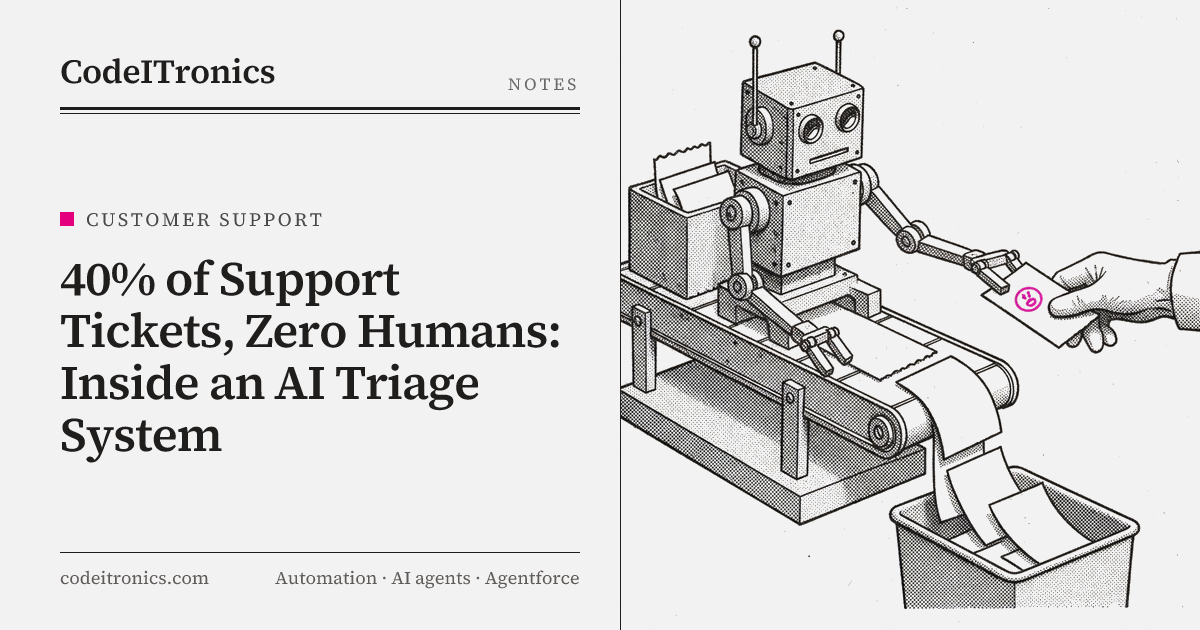
A large share of support tickets ask questions that are already answered somewhere in the help center. How do I reset my password, where's my invoice, does the plan include this feature. Agents answer them all day, and customers wait in a queue to get an answer that already exists in writing.
We built a customer support AI triage system that answers those tickets directly from the knowledge base and hands everything else to a human with context attached. The published results: 40% of tickets auto-resolved and instant response times. This post covers how it works, how it decides when to answer and when to step back, and why the other 60% still belongs with people.
The shape of the problem
Support queues mix two very different kinds of work. One kind is retrieval: the answer exists, the customer just needs to be pointed to it and have it explained for their case. The other kind is judgment: a bug nobody has seen, a billing dispute, an upset customer on a key account, a request for an exception.
When both kinds sit in the same queue, the retrieval tickets slow everything down. Agents spend time on answers they could recite, and the judgment tickets wait behind them. Customers with simple questions wait too, sometimes hours, for a one-paragraph answer.
The goal wasn't to replace the support team. It was to separate those two kinds of work automatically, answer the first kind instantly and accurately, and give the team more time and better context for the second.
Architecture
The system plugs into Zendesk, where the support team already works. It uses OpenAI models for intent detection and answer generation, vector embeddings for knowledge-base search, and the Vercel AI SDK to orchestrate model calls and structured outputs.
 New ticket (Zendesk webhook)
            |
            v
 +-----------------------+
 |  Pre-checks (code)    |  account flags, channel, language, attachments
 +-----------------------+
            |
            v
 +-----------------------+
 |  Intent detection     |  intent + sentiment + confidence (structured)
 +-----------------------+
            |
            v
 +-----------------------+
 |  Retrieval            |  embed query -> top-k KB passages + scores
 +-----------------------+
            |
            v
 +-----------------------+
 |  Answer generation    |  answer from passages only, with citations
 +-----------------------+
            |
            v
 +-----------------------+
 |  Decision gate (code) |  intent allow-list, thresholds, guardrails
 +-----------------------+
        |                     |
        v                     v
  Auto-resolve:          Escalate:
  public reply,          internal note with intent,
  tag, solve pending     summary, sources, draft;
  customer confirm       route to right group
| Component | Built with | Job |
|---|---|---|
| Ticket intake | Zendesk API, webhooks | Receive new tickets, read fields, write replies and notes |
| Intent detection | OpenAI, Vercel AI SDK | Classify intent and sentiment into a fixed schema |
| Knowledge index | Vector embeddings | Find relevant help-center passages for a ticket |
| Answer generation | OpenAI, Vercel AI SDK | Draft an answer grounded in retrieved passages |
| Decision gate | Application code | Decide auto-resolve vs. escalate |
| Logging | Database | Store every decision, source, and outcome |
Grounding answers in the knowledge base
Everything depends on the knowledge base. If the answer isn't in the help center, the system shouldn't answer.
Indexing
Help-center articles, macros, and internal FAQs are split into passages along headings, so each chunk covers one idea and keeps its title for context. Each passage is embedded and stored with metadata: source article, last-updated date, product area, and audience. The index is refreshed whenever articles change, because a stale answer delivered instantly is still a wrong answer.
Retrieval
For each ticket, the customer's message is cleaned and embedded, and the closest passages are retrieved along with their similarity scores. Those scores are useful later: if nothing in the knowledge base is close to the question, that's a strong reason not to auto-answer.
Generation
The model receives the ticket and the retrieved passages, and is instructed to answer only from those passages, cite which ones it used, and return a flag when the passages don't contain the answer. It also adapts the answer to the customer's case, which is where it adds value over just linking an article.
Intent detection
Before retrieval even matters, the system decides what the ticket is about. Intent detection classifies each ticket into a fixed set of intents, such as password and login, billing question, invoice request, how-to, bug report, cancellation, refund request, and complaint, plus sentiment and a confidence value.
Intent does two jobs. It narrows retrieval to the relevant product area, which improves relevance. More importantly, it decides eligibility. Some intents are allowed to be auto-resolved. Others never are, no matter how good the answer looks.
| Intent | Auto-resolve eligible | Reason |
|---|---|---|
| How-to question | Yes | Answer usually exists in docs |
| Password or login help | Yes | Documented self-service steps |
| Invoice copy request | Yes | Routine, low risk |
| Bug report | No | Needs investigation and reproduction |
| Refund or billing dispute | No | Involves money and policy judgment |
| Cancellation | No | Retention conversation, needs a person |
| Complaint or negative sentiment | No | Needs empathy and ownership |
That table is a business decision, not a model output. The support lead owns it.
Auto-resolve or escalate
The decision gate is plain code, and it's deliberately conservative. A ticket is auto-resolved only when all of these hold:
eligible_intent(intent)                 # on the allow-list
and intent_confidence >= INTENT_MIN
and top_retrieval_score >= RETRIEVAL_MIN
and answer.has_citations
and not answer.flag_insufficient_context
and sentiment != "negative"
and not account.is_flagged_for_human     # e.g. key accounts, open escalations
If any condition fails, the ticket escalates. Escalation isn't a failure state. The system still adds an internal note with the detected intent, a short summary, the relevant knowledge-base sources, and a draft reply. The agent picking it up starts with context instead of a blank ticket.
Auto-resolved tickets get a public reply and are set to a pending state, so the customer can reply if the answer didn't help. Any customer reply reopens the ticket to a human. That's an important safety valve: a wrong auto-answer turns into a human conversation instead of a dead end.
The thresholds are tuned against historical tickets with known good answers. Starting strict and loosening as evidence accumulates is safer than starting loose and fixing complaints.
Guardrails
Several guardrails sit around the model:
- Answer only from sources. No citations, no auto-reply.
- No promises. The prompt and a post-check prevent commitments the knowledge base doesn't support, like refunds, credits, timelines, or roadmap dates.
- No sensitive actions. The system answers questions. It doesn't change accounts, issue refunds, or modify billing.
- Untrusted input. Ticket text is treated as data. Instructions inside a ticket can't change what the system is allowed to do, because the allowed actions are fixed in code.
- Clear disclosure. Automated replies are identified as such, and every reply makes it easy to reach a person.
- Full logging. Every decision stores the intent, scores, retrieved passages, and final answer, so any auto-reply can be audited later.
Why the other 60 percent needs humans
It's tempting to treat 40% as a starting point and push toward 80. Some of the remaining tickets could probably be automated with a better knowledge base. But much of that 60% is human work by nature, and automating it would make support worse.
- Novel problems. Bug reports and edge cases have no documented answer yet. They need someone to reproduce, investigate, and talk to engineering.
- Money and policy. Refunds, disputes, and exceptions need judgment and authority that shouldn't live in a model.
- Emotion. An upset customer wants to be heard by a person who can take ownership. A fast, polite, generated reply can feel dismissive.
- Relationships. Cancellations and key-account issues are conversations, not lookups.
- Gaps in documentation. When the knowledge base doesn't cover a question, the right move is a human answer and then a new article, not a guess.
That last point creates a useful loop. Escalated tickets with low retrieval scores show exactly where documentation is missing. Writing those articles makes the next similar ticket eligible for automation, honestly, without lowering any thresholds.
Results
The published results for this build are 40% of tickets auto-resolved and instant response times. Those two numbers are connected: the tickets that can be answered from documentation get answered as soon as they arrive instead of waiting in a queue. The rest reach the support team with intent, summary, and sources already attached, which means the people handling them spend their time on the work that needs them.
Key Takeaways
- Separate retrieval work from judgment work. Automate the first, support the second.
- Ground every answer in the knowledge base and refuse to answer when retrieval is weak.
- Make auto-resolve eligibility a business decision by intent, enforced in code.
- Escalation should hand humans a head start: intent, summary, sources, and a draft.
- Low-retrieval escalations are a map of missing documentation. Fixing those gaps grows automation safely.
FAQs
What does auto-resolved mean here?
The system replied with a grounded answer and no agent had to handle the ticket. The ticket stays pending, so if the customer replies, it reopens to a human.
Why use embeddings instead of keyword search?
Customers rarely use the same words as the docs. Embeddings match on meaning, so "can't get in" finds the article titled "Resetting your password."
What stops the AI from making up policies?
Answers must come from retrieved passages with citations, a flag stops auto-replies when context is insufficient, and post-checks block commitments like refunds or timelines.
Does this replace the support team?
No. It removes repetitive lookups from the queue and gives agents better context on everything else. The work that needs judgment stays with people.
Does this only work with Zendesk?
Zendesk is the integration layer in this build. The retrieval, intent, and decision logic are independent, so the same design works with other helpdesks that expose an API.
Working on Something Similar
If your support queue is full of questions your docs already answer, a grounded triage layer is one of the most practical AI projects you can ship. CodeITronics builds AI agents and integrations like this around the helpdesk your team already uses. See the case studies on our work page, or get in touch to talk it through.

Letters to the editor
No letters yet. Questions and counterpoints are welcome.