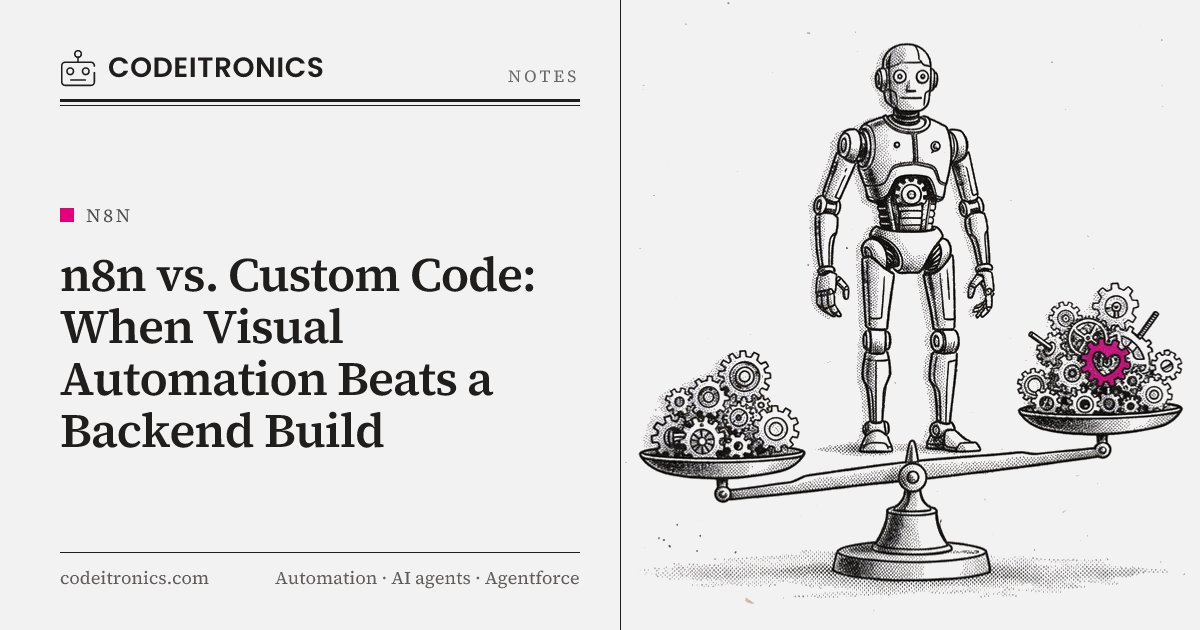
"Should we build this in n8n or write it properly?" comes up in almost every automation project we take on. The question usually assumes code is the grown-up option and visual tools are a shortcut. That framing is wrong in both directions. At CodeITronics we've shipped workflows on n8n that ran for real and saved real time, and we've moved other workflows out of n8n into code when they outgrew it. This is the decision guide we actually use.
The wrong way to frame the choice
Teams usually argue this as a matter of taste. Engineers distrust visual tools because they've seen unmaintainable spaghetti workflows. Ops people distrust code because they've waited weeks for a developer to change one field mapping.
Both concerns are valid, and neither is the right decision criterion. The real questions are:
- How much state does the process carry?
- How often will it change, and who will change it?
- What happens when it fails?
- Is it a process for one business, or part of a product for many?
Answer those and the tool choice mostly makes itself.
Where n8n wins
n8n is good at a specific job: connecting systems with mostly linear logic, where the value is in getting data from A to B with some transformation in between. In that zone, it beats a custom backend on almost every axis that matters early.
Speed to first working version. Triggers, credentials, retries, scheduling, and a run log come built in. In custom code, each of those is something you write, test, and deploy.
Visibility for non-engineers. A founder or ops lead can open the workflow, see the steps, and read the execution history. That transparency reduces "is the automation broken?" messages more than any dashboard.
Changes without deploys. Adjusting a prompt, adding a filter, or swapping a destination folder is a few minutes in the editor, not a pull request.
Large connector library. For common SaaS tools, someone has already handled the auth and the API quirks.
Self-hostable. You can run it on your own infrastructure, which matters when the data is sensitive or you want predictable costs.
A real example from our work
The AI Content Automation System is a CodeITronics build on n8n, LLMs, external APIs, and Google Drive. It reduced manual effort by 80%.
The process before automation was a familiar one: gather source material, draft content with an LLM, reformat it, file it in the right Drive folder, and notify the people who review it. Each step was simple. The pain was doing all of them by hand, every time, and keeping track of which pieces were where.
The workflow looked roughly like this:
Trigger (schedule or new brief)
   -> Fetch inputs (APIs, Drive docs)
   -> LLM step: draft
   -> LLM step: format / structure
   -> Validate (required fields, length)
   -> Write to Google Drive (correct folder)
   -> Notify reviewers
Why n8n was the right call here:
- The logic was linear. No complex branching, no long-lived state across runs.
- The prompts would change often. Keeping them editable in the workflow meant tuning didn't wait on a deploy.
- The people reviewing output weren't engineers. They could see each run, the inputs, and the outputs.
- Failure was cheap. If a run failed, it could be retried or redone without damaging anything downstream.
Building this as a custom backend would have taken longer and made it harder for the people closest to the content to adjust it. The 80% reduction came from automating the repetitive steps, not from sophisticated infrastructure.
Where custom code wins
Visual automation has limits, and they show up in predictable places.
Complex state
Once a process needs to remember things across runs (multi-step approvals, retries that depend on prior attempts, long-running sagas spanning days), a visual workflow starts storing state in odd places: spreadsheet rows, static data, external tables. It works until it doesn't, and debugging it is painful. Code with a real database and explicit state machines is clearer.
Testing
You can test an n8n workflow by running it. You can't easily write unit tests for each transformation, run them in CI, and block a release on failure. When correctness matters (money, customer-facing data, compliance), you want tests that run on every change.
Scale and performance
For high event volumes, tight latency requirements, or heavy data processing, a purpose-built service with queues and workers gives you more control over concurrency, batching, and backpressure. The Zero-Downtime Migration Engine, for example, needed Node streams and Redis queues to move millions of rows with controlled load. That's not visual-workflow territory.
Versioning and review
Workflows can be exported as JSON, but reviewing a diff of a large workflow JSON isn't like reviewing code. If multiple engineers change the same automation and you need code review, branching, and rollbacks tied to releases, code in Git is simpler.
Multi-tenant products
This is the clearest line. If the automation is part of a product that many customers use, each with their own credentials, limits, and data isolation, you need tenant-aware architecture. Our Micro-SaaS Workflow Builder is written in Node.js with queues, APIs, and a database for exactly this reason. You can build a product that uses workflow ideas; building it inside a workflow tool rarely holds up.
Side-by-side comparison
| Factor | n8n | Custom code |
|---|---|---|
| Time to first version | Hours to days | Days to weeks |
| Who can change it | Ops, founders, engineers | Engineers |
| Built-in retries, logs, scheduling | Yes | You build or adopt them |
| Long-lived or complex state | Awkward | Natural |
| Automated testing in CI | Limited | Full |
| Code review and versioning | Possible, clunky | Native with Git |
| High-volume processing | Possible, with care | Full control |
| Multi-tenant product use | Poor fit | Designed for it |
| Custom logic | Code nodes help, up to a point | Unlimited |
| Hosting | Cloud or self-hosted | Wherever you deploy |
Neither column wins outright. The right answer depends on which rows matter for the process in front of you.
The signals that it is time to move to code
We don't treat n8n as a prototype that must eventually be rewritten. Many workflows should stay there forever. But we watch for specific signs:
- Code nodes are doing most of the work. If the workflow is a thin wrapper around large JavaScript blocks, you're writing code without the benefits of code.
- People are afraid to touch it. When nobody edits the workflow because they don't know what will break, you've lost the main advantage of a visual tool.
- State lives in workarounds. Spreadsheets acting as databases, flags stored in random places, manual cleanup after failures.
- Failures have consequences. Duplicate charges, wrong customer messages, or data loss on retry mean you need idempotency and tests you can trust.
- Volume or latency is climbing. Runs are queuing up, executions time out, or you're tuning around execution limits.
- More than one customer will use it. The moment it becomes a product feature, design it as one.
When we migrate, we don't rewrite blindly. The existing workflow is effectively a working specification: steps, inputs, outputs, and edge cases already discovered. That makes the code version faster and safer to build.
The hybrid approach we use most
In practice, many of our systems use both. A pattern we come back to:
- Code owns the core. Business logic, state, data integrity, and anything with tests lives in a service.
- n8n owns the edges. Notifications, internal reports, file routing, and glue between SaaS tools stay visual, where non-engineers can adjust them.
- They talk over webhooks or a queue. The service emits events; n8n listens and handles the parts that change often.
The Internal Ops Automation we built for a founder followed a similar idea: Notion API, n8n, email, and task flows unified into one operational layer. The workflow tool handled orchestration between tools, while anything that needed careful logic could be pushed into a small service behind it.
This split lets each tool do what it's good at. Engineers aren't paged for a changed Slack message format, and ops people aren't editing payment logic in a visual editor.
Key Takeaways
- Decide based on state, change frequency, failure cost, and whether it's a product, not on taste.
- n8n wins for linear, frequently changing workflows that non-engineers need to see and adjust. Our AI Content Automation System reduced manual effort by 80% this way.
- Custom code wins for complex state, real test coverage, high volume, version control, and multi-tenant products.
- Treat a working n8n workflow as a specification when it's time to move to code.
- The hybrid model, code at the core and visual automation at the edges, is often the best long-term setup.
FAQs
Is n8n production-ready?
For the right workloads, yes. Linear integrations with clear failure handling run reliably. It's less suited to complex state or multi-tenant product features.
Should we prototype in n8n and always rewrite later?
No. Many workflows should stay in n8n. Rewrite only when you see specific signals like complex state, testing needs, or product use.
Can n8n handle custom logic?
Code nodes let you write JavaScript inside a workflow. That's useful for small transforms, but if most logic lives in code nodes, a real codebase is usually cleaner.
How do n8n and a backend service work together?
The service emits events or exposes endpoints, and n8n handles notifications, reports, and SaaS glue. Webhooks or a queue connect them.
What about other visual automation tools?
The same decision criteria apply. We use n8n often because it's self-hostable and flexible, but the reasoning about state, testing, and scale is tool-agnostic.
Working on Something Similar
If you're deciding whether a process belongs in a visual workflow, a backend service, or a mix of both, we're happy to look at the specifics with you. Our services page covers the kinds of automation we build, and you can contact us to talk it through.

Letters to the editor
No letters yet. Questions and counterpoints are welcome.